

Update your avatar and header images, pin an Artist Pick tied to your best-converting track (or a Countdown Page if you’re pre-release), and add Canvas to your priority songs. Those three moves make up the fastest version of spotify profile optimization, and each one solves a specific problem: stale visuals kill trust, a weak Artist Pick wastes your best real estate, and missing Canvas means you’re leaving saves on the table.
Before you touch anything else, run two checks: are your avatar and header sized correctly, and is there an active Artist Pick with Canvas attached to at least one track?
- Refresh avatar (square) and header (desktop banner) so nothing looks cropped or outdated
- Pin an Artist Pick to your highest save-rate track, or a Countdown Page if a release is coming
- Add Canvas to your two or three strongest tracks first, not your whole catalog
Pro Tip: Do this audit every time you drop a release, not once a year. Profiles that look maintained convert better than profiles that look abandoned, even when the music is identical.
Key Takeaways
Converting Spotify profile visitors into followers depends on pairing strong visuals and Canvas with a save-rate-driven Artist Pick and a disciplined editorial submission timeline.
| Point | Details |
|---|---|
| Fix visuals first | Correctly sized avatar and header images are the fastest credibility signal on your profile. |
| Pin by save rate, not streams | Choose your Artist Pick based on which track converts best, not which one plays the most. |
| Add Canvas early | Looping 3 to 8 second Canvas clips are linked to noticeably more saves and shares. |
| Submit 7 to 28 days out | Earlier editorial pitches through Spotify for Artists improve placement odds and Release Radar reach. |
| Amplify with real curators | Intonality pairs vetted, genre-matched curators with written feedback once your profile fundamentals are in place. |
Table of Contents
- Choosing What to Highlight in Music Content and Canvas
- Getting Your Avatar, Header, and Gallery Sizing Right
- Timing Your Artist Pick and Playlists Through a Release Cycle
- Setting Up Merch and Events for Real Conversion
- Writing a Bio That Actually Converts Visitors
- Submitting for Editorial Consideration on the Right Timeline
- Which Spotify Metrics Actually Tell You What to Fix
- Keeping Your Profile Current: A Repeatable Checklist
- Why Curated Playlist Promotion Fits Into This Picture
- A Note From Einars
- Your Next Move After Optimizing the Profile Itself
- Sources
Choosing What to Highlight in Music Content and Canvas
Your Popular Tracks module updates automatically based on streaming activity, so you can’t manually curate it. What you can control is your Artist Pick, and that’s where most artists make the wrong call by picking their highest-streaming song instead of the one that actually converts listeners into followers.
Prioritize save rate and completion rate over raw stream count. A track with fewer plays but a higher save rate is doing more work per listener, and that’s the signal worth pinning.
Canvas, the looping video that plays behind your track, needs to be 3 to 8 seconds long, formatted as a vertical 9:16 MP4, and built to loop without a visible cut. Spotify’s own testing shows tracks with Canvas attached see noticeably more saves and shares than tracks without it, which is a meaningful lift for something that takes an afternoon to produce.
A few things that actually work:
- A close-up performance loop (hands on strings, mouth near the mic) reads as authentic and holds attention
- Lyric-based motion graphics work well for anything vocal-forward or hook-driven
- Avoid text-heavy Canvas clips. They read as cluttered on a phone screen
Pro Tip: Pull your top three tracks by save rate, not stream count, and give the winner the Artist Pick slot. That’s the track your algorithm-driven traffic is already responding to. Don’t bury it.
Getting Your Avatar, Header, and Gallery Sizing Right
Spotify’s artist image guidelines specify a square avatar and a wide header banner, and getting the crop wrong is one of the most common reasons a profile looks unprofessional at a glance. Your avatar should be centered on your face or logo with no text, since it gets cropped into a circle across the app. Your header should stay largely text-free, because Spotify overlays your artist name and follower count directly on top of it.
- Match your genre’s visual language: a metal band’s stark, high-contrast photo reads differently than a bedroom-pop pastel gradient, and mismatched visuals confuse first-time visitors
- Use a real photo over stylized album art for your avatar. Album art belongs on the release, not the profile
- Sync your Spotify visuals with your Instagram and website so a fan recognizes you across platforms
- Upload high-resolution press photos to your gallery. Blurry or pixelated images undercut everything else you’ve optimized
Timing Your Artist Pick and Playlists Through a Release Cycle
Your Artist Pick shouldn’t stay static. It’s meant to shift with where you are in a release cycle, and treating it as a “set it once” feature wastes one of the few pieces of real estate Spotify gives you full control over.
- Pre-release: pin a Countdown Page to your upcoming single. It builds anticipation and captures pre-save clicks before the track even exists in the catalog.
- Release week: swap to your new track the moment it’s live, assuming it’s already showing strong early saves.
- Between releases: pin a curated artist playlist instead of leaving an old single sitting there for months.
Artist Picks don’t expire on a fixed schedule, but a Pick that’s months old signals a profile nobody’s tending. Rotating it keeps things feeling current even between releases.
An artist-curated playlist works as a standing discovery asset if you build it right: a clear, searchable title, your strongest 10 tracks up front, and a short description that tells a new listener exactly what they’re getting. Done well, it keeps feeding you followers long after the playlist was published.
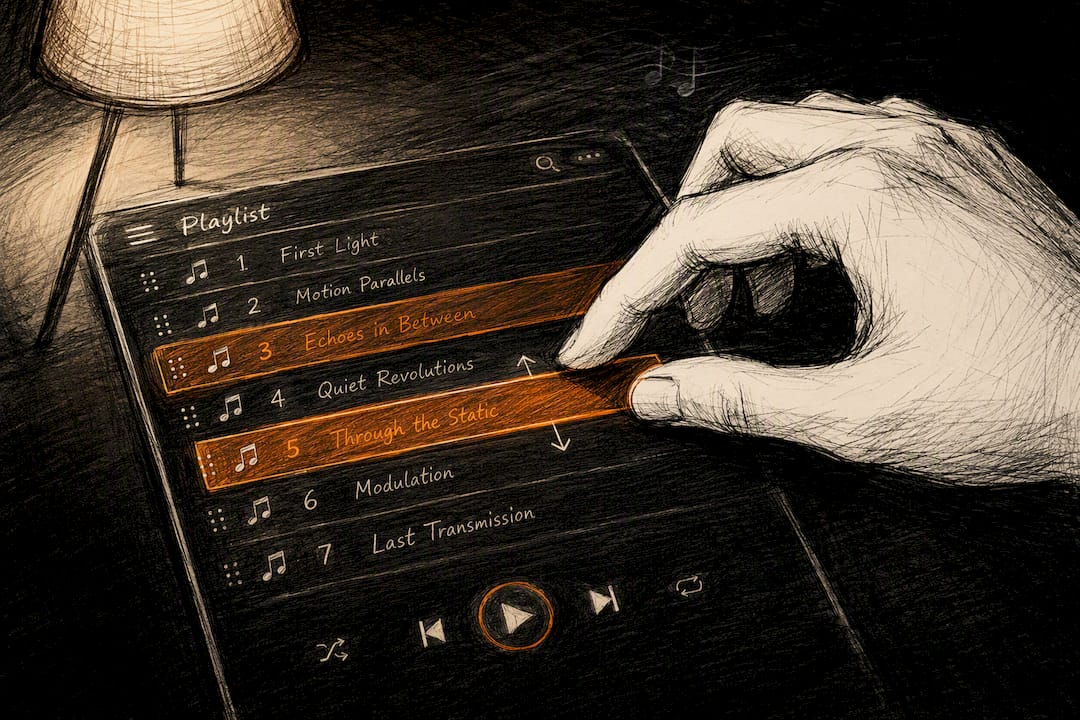
Pro Tip: Treat your curated playlist like a mini radio station under your name. Update it quarterly and it keeps earning plays years after you built it.
Setting Up Merch and Events for Real Conversion
Connecting a Shopify store through Merch and enabling Events through Songkick or Bandsintown takes maybe fifteen minutes, and both modules do more than most artists give them credit for. Spotify’s testing found that a managed, pinned merch tab increased purchase interactions significantly compared to an unmanaged one, and the Events module produced a 70 percent surge in engagement around concert listings, with a 15 percent increase in ticket purchases.
- Pin your two strongest merch items, prioritizing limited editions or bundles over basic tees
- Rotate pinned merch seasonally so returning visitors see something new
- Treat merch and events as follow-conversion tools, not just revenue lines. A fan who buys a shirt is a fan who’s likely to hit follow next
Writing a Bio That Actually Converts Visitors
Your bio is prime real estate that most artists fill with vague adjectives nobody remembers. A tighter formula works better: open in first person, describe your sound in a concrete way (not “genre-bending,” but something a stranger can picture), mention a recent credential, and close with a direct reason to follow.
- Include your website, your primary social account, and a Wikipedia page if one exists. Each adds a layer of legitimacy a casual visitor notices
- Enable Songkick or Bandsintown so upcoming shows surface automatically
- Update your bio every time you release something. A bio that still mentions an EP from two years ago tells visitors nobody’s minding the profile
Submitting for Editorial Consideration on the Right Timeline
Spotify’s editorial teams don’t work on your release schedule, they work on their own. Submit unreleased tracks through Spotify for Artists at least 7 to 28 days before release, with earlier submissions in that window giving editors more room to consider you for a placement and improving your odds of solid Release Radar reach on day one.
- Submit early. Seven days is the minimum, but pitching closer to 28 days out gives your track the best shot at a slot.
- Fill out the pitch form completely. Genre, mood, instrumentation, the story behind the track, and any collaborators all factor into how editors evaluate it.
- Suggest specific playlists. Naming playlists that genuinely fit your sound shows editors you understand your own genre lane.
- Drive pre-release momentum. A Countdown Page paired with pre-saves builds the early signal that makes your submission look stronger.
Save Marquee or Discovery Mode for later, once you already have baseline engagement worth amplifying. Spending on amplification before your saves and completion rate look healthy just accelerates a weak signal.
Which Spotify Metrics Actually Tell You What to Fix
Four numbers matter more than anything else on your Spotify for Artists dashboard: save rate (percentage of listeners who save the track), completion rate (percentage who listen to the end), followers gained per listen, and source of streams (algorithmic, editorial, playlist, or search).
A strong save rate is widely treated as the single best leading indicator for organic growth, because it’s the clearest sign the algorithm has to promote you further.
- If save rate is low, the problem is usually the creative or the mix, not your marketing. Revisit the track before spending on promotion
- If completion rate drops early, check your intro length and mastering loudness. A weak first 15 seconds loses casual listeners fast
- If followers per listen is flat despite good saves, your profile visuals or bio are likely the leak, not the music
Read these together before deciding your next move. A song with strong saves but weak completion needs a creative fix (a tighter edit, better mastering). A song with strong completion but poor follow conversion needs a profile fix, not a new mix.
Keeping Your Profile Current: A Repeatable Checklist
Profiles decay quietly, and a checklist tied to your release calendar keeps that from happening.
- Release day: upload Canvas, update your Artist Pick, refresh your header if it ties to the new project, confirm your editorial pitch was submitted, and push your pre-save link everywhere you post.
- Weekly: review your analytics dashboard, check which playlists are driving streams, and note any new independent playlist adds.
- Quarterly: refresh your bio, swap in new press photos, audit merch inventory, and confirm Canvas is live across your back catalog, not just your newest single.
Why Curated Playlist Promotion Fits Into This Picture
Legitimate playlist placements do something your own profile tweaks can’t: they introduce your music to a genuinely new, already-engaged audience, which tends to lift both source diversity and save rate when the placements are real.
That’s the distinction that matters. Bot-driven playlists and purchased followers don’t just fail to help, they actively damage your save and engagement ratios and can draw platform-level scrutiny. A real curator, listening to your track because it fits their playlist’s actual sound, is a different mechanism entirely.
Intonality builds campaigns around that mechanism: personalized pitches sent to vetted, genre-matched curators, with real-time updates and written feedback on every decision a curator makes, whether it’s a yes or a pass. The company reports an average of 4 to 11 playlist placements per campaign depending on the tier.
- Use paid playlist promotion once your masters are clean and your Canvas and Artist Pick are already set
- Treat it as amplification for a profile that’s already doing its job, not a substitute for the fundamentals above
Pro Tip: A curator’s written feedback on a “pass” decision is often more useful than the placement itself. It tells you exactly what part of your pitch or track isn’t landing.
A Note From Einars
Every recommendation above comes from watching what Spotify itself measures and rewards, not from guesswork. Try the checklist for two weeks, track your save rate and follower count before and after, and see what actually moves. The data will tell you faster than any opinion can.
— Einars
Your Next Move After Optimizing the Profile Itself
Once your visuals are sharp, your Artist Pick is set, and Canvas is live on your key tracks, the next lever is getting real listeners to find that profile in the first place. That’s where curated playlist promotion earns its place, not as a replacement for the work above, but as the thing that sends fresh, genre-matched ears to a profile that’s finally ready to convert them.
Intonality builds campaigns around personalized pitches to real, vetted curators instead of automated submission tools or pay-to-play playlists padded with inactive followers. Every curator decision comes back to you with real-time updates and written feedback, so a pass tells you something useful instead of nothing at all. Before starting a campaign, make sure your masters are final, Canvas is uploaded on your lead track, your Artist Pick reflects your current release, and you know your target release window. From there, browse Intonality’s playlist promotion campaigns and see which tier fits your release, or check how your genre lane compares on a page like the dark pop playlist collection to get a feel for curator fit before you submit.
Sources
- Making the most of your artist profile on Spotify / Artist images & merch guidance (Spotify Support / Artists)
- How to pitch Spotify editorial playlists (CD Baby / DIY Musician)
- Making the Most of Your Artist Profile on Spotify (Spotify for Artists blog)


