

Set these fields before you pitch: one primary genre, up to three subgenres, up to three music cultures or languages, up to two moods, up to two song styles, your instruments, the yes/no flags (cover, remix, instrumental, studio/live), plus your ISRC, UPC, and confirmed release date. Then submit your pitch at least seven days before release — that window is the only way to qualify for automatic Release Radar placement on release day.
Here’s the checklist to copy before you open Spotify for Artists:
- Primary genre and up to 3 subgenres confirmed and consistent with your distributor listing
- Up to 3 music cultures/languages selected
- Up to 2 moods and up to 2 song styles chosen
- Instruments tagged, yes/no flags (cover/remix/instrumental/live) answered accurately
- ISRC and UPC verified against your distributor delivery
- Release date locked and pitch submitted 7+ days out
Pro Tip: If you only have time to nail one field, make it genre and mood together, not genre alone. Editors sort submissions by mood-and-genre combinations far more often than by genre in isolation, so a folk-pop track tagged “genre: pop, mood: melancholic” lands in a very different pool than the same track tagged “mood: upbeat.”
Key Takeaways
Accurate, field-specific metadata submitted at least 7 days before release, and ideally 2 to 4 weeks out, is what determines whether Spotify’s editors can place your track at all.
| Point | Details |
|---|---|
| Lock core fields first | Set genre, up to 3 subgenres, up to 2 moods, up to 2 styles, and instruments before writing your pitch. |
| Pitch 7+ days early | Spotify requires a 7-day minimum for Release Radar eligibility, but earlier gives editors more time to listen. |
| Know who owns each field | Distributors control title, ISRC, UPC, and credits; you control tags and yes/no flags in Spotify for Artists. |
| Chase engagement, not size | Small, genre-matched playlists often drive stronger saves and repeat listens than large unfocused ones. |
| Consider a curated campaign | Intonality pairs genre-matched metadata with real curator outreach and written feedback on every decision. |
Table of Contents
- Getting your release ready before you touch metadata
- Which metadata fields does Spotify’s pitch tool ask for?
- What counts as clean metadata, and who’s responsible for it?
- How do you find playlists worth pitching to?
- What should your Spotify pitch and outreach message actually say?
- When exactly should you submit, and how do you follow up?
- How do you know if your metadata and pitch actually worked?
- What metadata mistakes cost artists the most placements?
- What do you do if you find a metadata error after delivery?
- Why metadata discipline beats chasing playlist size
- When does a paid playlist campaign make sense?
- Where to verify these rules yourself
- Frequently Asked Questions
- Sources
Getting your release ready before you touch metadata
Metadata only works if the operational groundwork underneath it is solid. Before you fill out a single field, you need three things locked: the song you’re pitching, account access, and a realistic delivery timeline.
Start with song selection. Spotify only lets you pitch one track per release, so pick the one that best represents the project and its marketing plan, not necessarily your personal favorite. A song that tells the clearest story, or the one you’re already spending ad budget and social content on, usually beats a deeper cut that “grows on people.”
Next, confirm access. You need Admin or Editor permissions on Spotify for Artists to submit a pitch, and you need to know whether your distributor or your label handles delivery. If you’re not sure who controls delivery, find out now, not the week of release.
Here’s the sequence that avoids last-minute scrambles:
- Finish mastering and lock final files at least 3 to 4 weeks before your target release date.
- Deliver to your distributor with complete metadata, giving them time to catch errors before they reach Spotify.
- Confirm the release appears correctly in Spotify for Artists once processed.
- Submit your pitch a minimum of 7 days before release, though distributors often recommend a 2 to 4 week buffer for safety.
- Double-check every field one more time 48 hours before pitching.
Pro Tip: Verify your ISRC, UPC, and the exact spelling of your artist name across every platform before delivery. Mismatched capitalization or a stray middle initial between your distributor and your Spotify profile is the single most common cause of split streaming data and rejected corrections later.
Which metadata fields does Spotify’s pitch tool ask for?
Spotify’s pitch form is built around structured tags that help editors sort large volumes of submissions into the right editorial pools. Here’s what each field actually does and how to fill it out.
Primary genre is singular. Pick the one that best describes the song’s core sound, not your overall artist identity. Subgenres allow up to three and this is where nuance lives. Instead of tagging everything “indie,” a specific chain like indie folk, chamber pop, and singer-songwriter tells editors far more than a generic label.
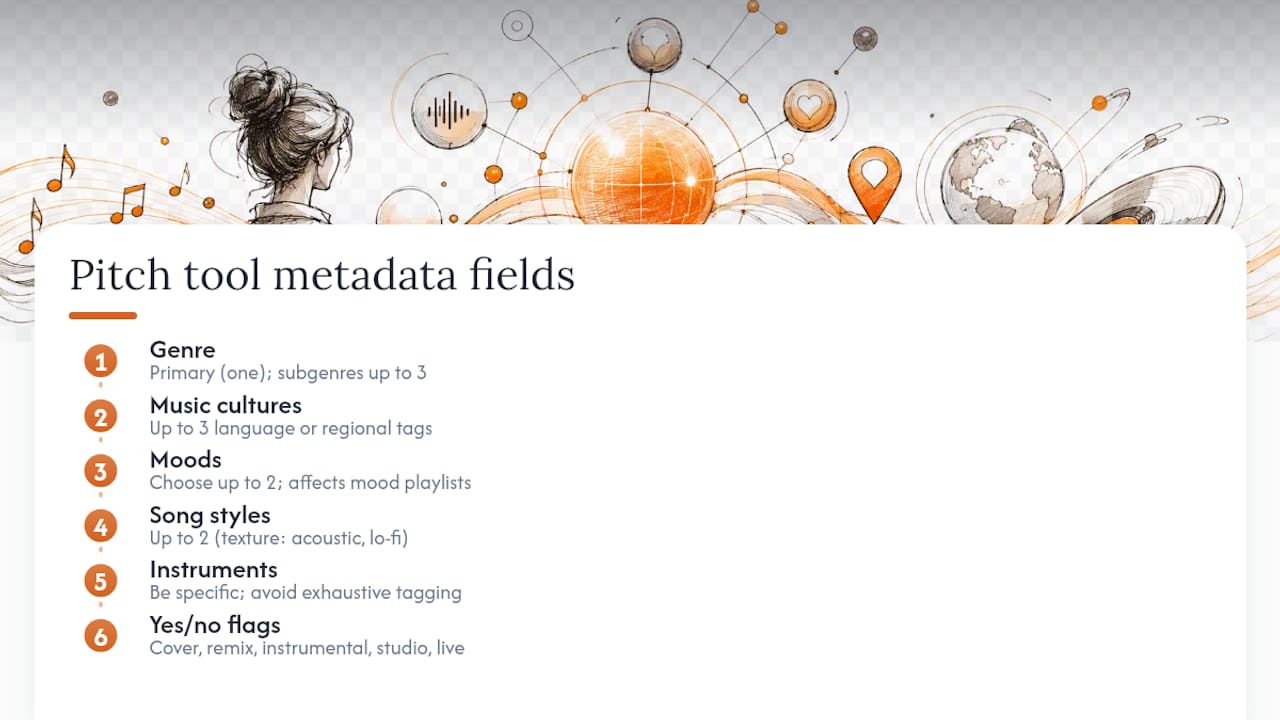
Music cultures cover up to three language or regional tags. If you sing in Spanish and draw on regional Mexican influences, tag both. Moods allow two selections and matter more than most artists assume: mood tags often determine which mood-based editorial playlists (think late-night, chill, or upbeat morning lists) your track surfaces in. Song styles (also capped at two) describe texture, things like acoustic, lo-fi, or orchestral.
Instruments should be accurate and specific rather than exhaustive. Tagging piano and strings on a track that’s mostly synth pads confuses editors more than it helps them. The yes/no flags (cover, remix, instrumental, studio or live recording) exist because misclassifying any of these can get a track pulled from consideration entirely.
Three quick examples: an acoustic indie ballad might use genre “folk,” moods “melancholic” and “intimate,” instruments “acoustic guitar” and “strings.” A four-on-the-floor house cut might use genre “dance/electronic,” subgenres “house” and “tech house,” moods “energetic” and “euphoric.” A bedroom-pop demo with vocal chops might use genre “pop,” style “lo-fi,” and the instrumental flag left unchecked since vocals are present.
The most common error isn’t picking wrong values. It’s over-tagging: cramming in every subgenre and mood that could technically apply instead of the two or three that actually fit.
What counts as clean metadata, and who’s responsible for it?
Clean metadata means your artist name, track title, ISRC, UPC, release date, primary artist designation, and writer/producer credits all match exactly across your distributor delivery and your Spotify for Artists profile, with no encoding errors in special characters or accented letters.
Here’s the part that trips up most independent artists: Spotify displays your music exactly as it’s delivered. Your label or distributor sets the metadata before delivery, and if something’s wrong, Spotify itself can’t fix it directly. Only your distributor can send a correction.
A quick reference for who controls what:
- Track title, ISRC, UPC, release date, credits — distributor or label, set before delivery
- Genre tags, moods, styles, cultures, instruments, yes/no flags — you, via the Spotify for Artists pitch form
- Artist bio, profile photo, playlist links, Canvas — you, directly in Spotify for Artists
- Primary vs. featured artist designation — distributor or label, at delivery
If you spot an error in the fields your distributor controls, submit a correction request through their support system. Turnaround varies by distributor, often a few days to two weeks, and some distributors won’t touch metadata within days of release.
Pro Tip: If you catch a distributor-side error close to release, contact your distributor’s support directly rather than routing through Spotify. Spotify can’t override delivered metadata, and asking their support team just adds a delay while they redirect you to the same distributor conversation.
How do you find playlists worth pitching to?
Follower count is the least useful metric for judging a playlist. A placement on a smaller, hyper-relevant playlist often generates stronger engagement than a spot on a massive but loosely-themed one, because saves and repeat listens feed the recommendation algorithm harder than raw impressions do.
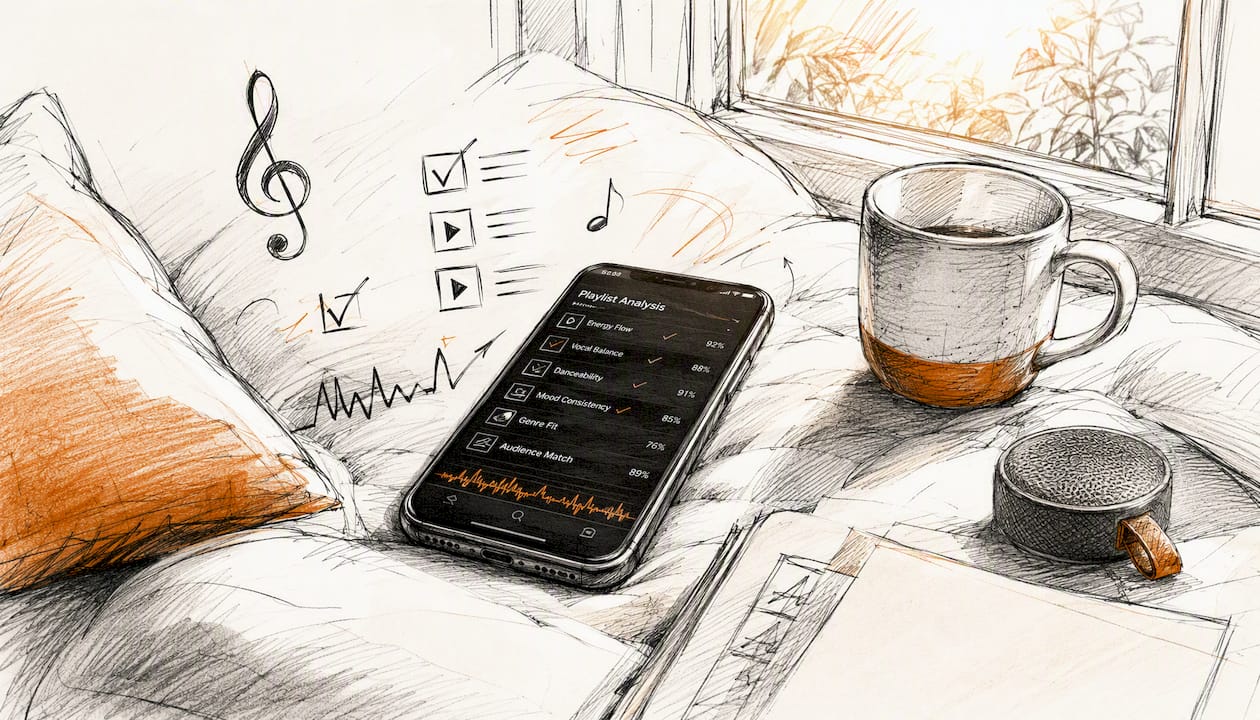
When vetting a playlist, check how recently it’s been updated, whether its follower count has grown steadily rather than spiking artificially, and whether the tracks already on it genuinely match your genre and mood tags. A playlist that hasn’t added a new track in three months, regardless of its follower count, is a weak target.
Match your metadata to the playlist’s actual editorial theme rather than its title. A playlist called “Chill Vibes” might really be built around downtempo electronic, not acoustic singer-songwriter material, and you’ll only know by listening to a handful of tracks on it first.
Pro Tip: A 2,000-follower playlist that’s added five new tracks in the past two weeks, all in your exact subgenre, will usually outperform a stagnant 100,000-follower list for actual engagement.
What should your Spotify pitch and outreach message actually say?
Spotify’s pitch form pairs structured tags with free-text fields for song story and marketing plans, and both need to work together. Your tags tell the algorithm what pool to place you in; your story tells a human editor why it matters.
A strong pitch includes:
- A two to three sentence story: what inspired the song, or what makes this release different from your last one
- Your confirmed genre, subgenres, and mood tags, matching what you selected in the metadata fields
- A brief, specific marketing plan (a sync placement, a tour date, a collaboration with another artist, a paid ad push)
- Any notable featured musicians, producers, or studio details worth mentioning
Weak pitch: “This is my new song, please add it to playlists, I’ve worked really hard on it.” It’s vague, makes no case for editorial fit, and gives an editor nothing to act on.
Strong pitch: “Recorded live to tape with a three-piece band, this track blends alt-country with 90s grunge textures. We’re running a regional radio campaign in the Pacific Northwest and have a 12-city tour booked for release month.” That pitch matches structured tags to a concrete story, which is exactly what an editorial pitch that pairs specifics with metadata needs to do.

The same discipline applies to independent curator outreach: keep it to three sentences, lead with the track’s genre and mood, and never send a generic mass message that ignores the specific playlist you’re pitching.
When exactly should you submit, and how do you follow up?
Spotify’s rule is firm: pitch at least 7 days before release or your track won’t auto-populate into followers’ Release Radar. But 7 days is a floor, not a target.
- Deliver to your distributor 3 to 4 weeks ahead of release.
- Confirm metadata is live in Spotify for Artists within a few days of delivery.
- Submit your pitch as soon as the release appears, ideally 2 to 4 weeks out rather than waiting until day 7.
- Wait at least 5 to 7 business days before any follow-up, and only follow up once.
Editors work through pooled submissions on their own schedule, and earlier delivery gives them more time to actually listen before your release date arrives. A pitch submitted the morning of the 7-day deadline competes for attention against tracks that have been sitting in the pool for weeks.
For curator follow-up specifically, keep it short, thank them regardless of outcome, and never ask why you were passed over.
How do you know if your metadata and pitch actually worked?
Check Spotify for Artists two to four weeks after release, not two days after. The signals that matter:
- Saves — the strongest single indicator that a placement is resonating
- Playlist adds and which specific playlists picked it up
- Listener retention, meaning repeat streams from the same listeners
- Follower growth tied directly to the release
- Discover Weekly or Release Radar uplift, visible in your algorithmic playlist data
Strong saves and repeat listens on even one small playlist tend to compound into algorithmic pickup over the following weeks, so don’t judge success by editorial response alone.
What metadata mistakes cost artists the most placements?
The repeat offenders: inconsistent artist name spelling across your distributor and profile, incorrect or missing ISRCs, mis-tagged genre that doesn’t match the actual sound, missing producer or featured artist credits, and encoding glitches on accented characters.
Run this 48 to 72 hour pre-pitch check:
- Artist name matches exactly everywhere, including capitalization
- ISRC and UPC confirmed against your distributor’s delivery record
- Genre and subgenre tags reflect the actual track, not your general artist identity
- All credits present and correctly spelled
- Release date confirmed live in Spotify for Artists
If you catch a problem this late, contact your distributor immediately and ask specifically what can still be changed before delivery locks.
What do you do if you find a metadata error after delivery?
- Identify exactly which field is wrong and whether it’s distributor-controlled or editable in Spotify for Artists.
- If it’s distributor-controlled (title, ISRC, UPC, credits), submit a correction request through your distributor, since Spotify can’t edit delivered metadata directly.
- If it’s a pitch field (genre, mood, style), simply update it yourself in Spotify for Artists.
- Confirm the fix has actually appeared on your live Spotify page, not just in your distributor dashboard.
Pro Tip: If a correction is urgent and release day is close, call or use live chat with your distributor instead of email. Metadata fixes near a release date often need manual escalation, and email queues can run days behind.
Why metadata discipline beats chasing playlist size
Most guides treat the pitch form as a formality to click through fast. That’s backwards. The structured tags you choose are the primary way an editor’s queue software sorts thousands of submissions into something reviewable, and a track with vague or mismatched tags simply never surfaces in the right pool, regardless of quality.
The artists who get consistent placements aren’t the ones with the biggest budgets. They’re the ones who treat mood and subgenre selection with the same care as mixing and mastering. That’s the philosophy behind how Intonality matches tracks to curators: genre-first, mood-second, story last.
When does a paid playlist campaign make sense?
If you’re releasing on a tight timeline, don’t have an existing audience to drive early saves, or you’ve nailed your metadata but still aren’t landing genre-matched placements, a curated campaign closes that gap faster than cold-pitching alone.
Intonality connects your metadata directly to real curators who run playlists in your exact genre and mood lane, not automated systems or pay-to-play lists that accept anything. Every submission gets a genre match against vetted curators, a written decision explaining why a curator passed or added your track, and support for pre-release submissions so your metadata and pitch timing work together instead of racing the clock separately. You also get real-time updates in your campaign dashboard instead of waiting weeks to find out what happened.
If your metadata is locked and your release date is set, check Intonality’s Spotify playlist promotion service tiers and see which campaign fits your release timeline, or browse a genre-specific example like the indie folk playlist roster to see how curator matching works in practice.
Where to verify these rules yourself
- Spotify’s official pitching guidance covers the 7-day rule and pitch mechanics directly.
- Spotify’s metadata formatting guidelines explain delivery and correction processes.
- Usisrc covers ISRC assignment for accurate rights tracking.
Frequently Asked Questions
What is playlist submission metadata, exactly? It’s the combination of structured tags (genre, subgenres, moods, styles, instruments, cultures) and technical identifiers (ISRC, UPC, release date) you supply through Spotify for Artists and your distributor so editors and algorithms can correctly classify and surface your track.
Can I change my metadata after I’ve already pitched? Pitch-form tags like genre and mood are editable directly in Spotify for Artists. Delivery-level fields like title, ISRC, and credits require a correction request through your distributor.
How many subgenres and moods can I select? Up to three subgenres, up to three music cultures, and up to two moods and two song styles each, according to Spotify’s pitch tool structure.
Does pitching guarantee a playlist placement? No. The pitch form improves your odds by helping editors find your track in the right pool, but it doesn’t guarantee inclusion on any specific playlist.
Is it better to pitch early or wait until closer to release? Earlier is better. The 7-day window is a minimum floor for Release Radar eligibility, not a target, and pitching 2 to 4 weeks ahead gives editors more time to consider your track.
Sources
- Pitching music and videos to Spotify playlist editors - Spotify
- Music metadata guidelines - Spotify
- How to Get Your Music on Spotify Playlists - Berklee Online
- Usisrc


