
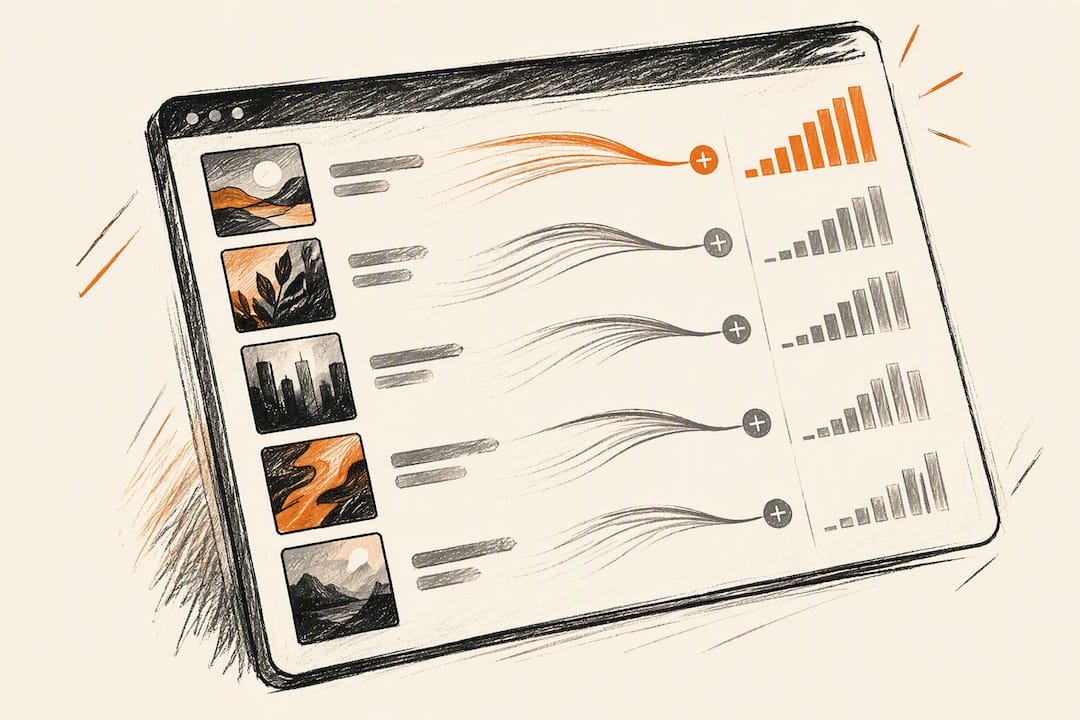
Yes, you can track every playlist placement that matters, and doing so lets you convert short spikes into lasting algorithmic momentum. Spotify for Artists, public playlist pages, and third-party trackers like Chartmetric and Viberate together show you position, saves, and streams for any track. Watch those three metrics closely and you’ll know within days whether a placement is working or quietly fading.
TL;DR:
- Tracking playlist placements using Spotify for Artists, public pages, and third-party tools like Chartmetric or Viberate helps identify whether a placement is gaining or fading within days.
- Save and add rates are the most reliable indicators of future algorithmic growth, with positional improvements and engagement metrics providing additional insight into placement quality.
- Monitor placements daily during the first two weeks after release, then shift to weekly and monthly checks to build a historical view and inform follow-up strategies.
- Prioritize amplification for placements with high saves and rising positions, while avoiding high-follower playlists with poor engagement and suspicious growth patterns.
- Authentic curator verification and consistent tracking data are essential, as follower counts alone are misleading, and real placements come from verified, genuine curators.
Table of Contents
- Where to Track Playlist Placements Across Platforms
- Which Placement Metrics Actually Predict Growth?
- How Should You Track Placements Week by Week?
- Turning Placement Data Into Your Next Move
- How Intonality Reports and Verifies Your Placements
- What Actually Moves the Needle in Placement Tracking
- Get Curated Playlist Placements With Transparent Reporting
- Sources
- FAQ
Where to Track Playlist Placements Across Platforms
Spotify for Artists is the first stop. Its Playlists tab shows which playlists carry your track and breaks down “source of streams,” so you can see exactly how much traffic a specific placement is generating through the official playlisting channel.
Public playlist pages fill in the gaps Spotify won’t show you: follower counts, the last time a curator updated the list, and where your track sits in the running order. Screenshot or log that position regularly since Spotify doesn’t archive it for you.
Third-party trackers do the heavy lifting at scale. Viberate scans over 12 million Spotify playlists and tracks additions, removals, and follower growth automatically. Chartmetric offers similar playlist-tracking features, including peak position, current membership, and filters by platform and status.
- Spotify for Artists: best for verified stream counts and source attribution
- Public playlist pages: best for real-time position and curator activity checks
- Chartmetric or Viberate: best for historical tracking and discovering new placements automatically
Rely on Spotify’s own dashboard when you need certainty about actual streams. Lean on trackers when you need scale, history, or to spot a placement before it shows up in your own analytics.
Which Placement Metrics Actually Predict Growth?
Not every number on your dashboard deserves equal attention. Save and add rates matter more than raw stream counts because Spotify’s recommendation system reads saves as a signal that real listeners want to hear the track again, which tends to trigger further algorithmic pickup.
Position and days-in-list tell a related story. A track that climbs from position 40 to position 12 over a week is gaining curator or algorithmic favor. A track that sits at the bottom for three days before disappearing usually got a courtesy add rather than a genuine curator bet.
- Save/add rate: the strongest single predictor of continued algorithmic play
- Position and longevity: shows whether a placement is growing or stalling
- Completion rate: distinguishes real engagement from passive skips
- Follower growth on the playlist itself: signals a curator who is actively building an audience
With small numbers, don’t overreact to a single day. Wait for at least three to five days of data before drawing conclusions.
How Should You Track Placements Week by Week?
Set up your monitoring before your track drops, not after. Here’s a workflow that keeps you from missing the moments that matter.
- Pre-release: finalize metadata, submit your Spotify for Artists pitch at least a week ahead as Berklee’s playlisting guide recommends, and set up your tracker of choice so it’s already watching your artist profile.
- Release week, daily: log playlist name, curator, added date, current position, playlist followers, and any visible engagement metrics into a simple spreadsheet.
- Days 2 through 14: check daily. This is when editorial and algorithmic playlists most often add or drop tracks, and Chartmetric’s track playlist endpoint exposes fields like
added_at,peak_position, andfollowersthat make daily snapshots easy to automate. - Weeks 3 through 8: drop to weekly checks and export a snapshot each time, so you’re building a position history rather than a single data point.
- Monthly after that: review the full CSV history to spot slow decline versus lasting placements worth re-pitching around.
Keep your CSV columns consistent: date, playlist name, curator, position, peak position, followers, saves (where visible), and notes. That structure lets you compute save-rate trends later without redoing the work.
Pro Tip: Don’t re-pitch a curator within 30 days of a decline. Most curators review submissions in batches, and repeated pitches too soon read as spam rather than persistence.
Turning Placement Data Into Your Next Move
Data only matters if it changes what you do next, and personalised music gifts that delight every musician can be a creative way to thank curators and fans who support your playlist placements. A placement with high saves and a climbing position deserves amplification: push it on social, consider a small ad spend aimed at playlist listeners, and send the curator a genuine thank you that includes a link for their followers to save the track.
A placement with a huge follower count but poor completion rate deserves the opposite response. Deprioritize it and go looking for smaller, more engaged playlists instead. That’s where overlap analysis earns its keep. Look at which playlists carry artists who sound like you, since placement alongside your algorithmic peers increases the odds Spotify’s own systems start recommending you in the same rotation.
- Amplify placements with strong saves and rising position
- Deprioritize high-follower, low-engagement playlists and hunt for smaller alternatives
- Use overlap analysis to target curators who already play similar artists
- Check curator authenticity (real social links, consistent update history) before spending any effort on amplification
Watch for red flags too. Sudden follower spikes with no matching engagement, inconsistent update patterns, or a curator with no verifiable social presence are signs worth avoiding entirely. If a placement checks out on every front and keeps growing after two weeks, that’s your signal to re-pitch the same curator for a follow-up release or push it toward editorial consideration.
Pro Tip: If a playlist’s follower count doubled overnight but your saves didn’t move, treat that growth as suspicious, not promising.
How Intonality Reports and Verifies Your Placements
Intonality pitches your track personally to real, genre-matched curators instead of relying on automated blasts, and every decision, whether it’s a placement or a decline, comes back with real-time updates and written feedback from the curator. That written record is what most tracking tools can’t give you: the reasoning behind a “no,” not just a status change.
Campaign reports lay out exactly which playlists added the track, which curators declined it and why, so you can cross-check placements against your own spreadsheet rather than taking any single source on faith. Intonality reports an average of 4 to 11 placements per campaign, depending on the tier, a figure worth treating as a starting benchmark you verify against your own Spotify for Artists data once the campaign runs.
Pair that campaign report with the tracking habits above. Log each reported placement into your own CSV, checking curator authenticity independently, so you have two sources confirming the same reality.
What Actually Moves the Needle in Placement Tracking
Most advice on this topic treats every playlist add as a win worth celebrating. It isn’t. A placement on a 40,000-follower playlist that generates a 2% save rate is often worse for your long-term algorithmic standing than 300 streams from a tightly curated 2,000-follower list where a fifth of listeners save the track.
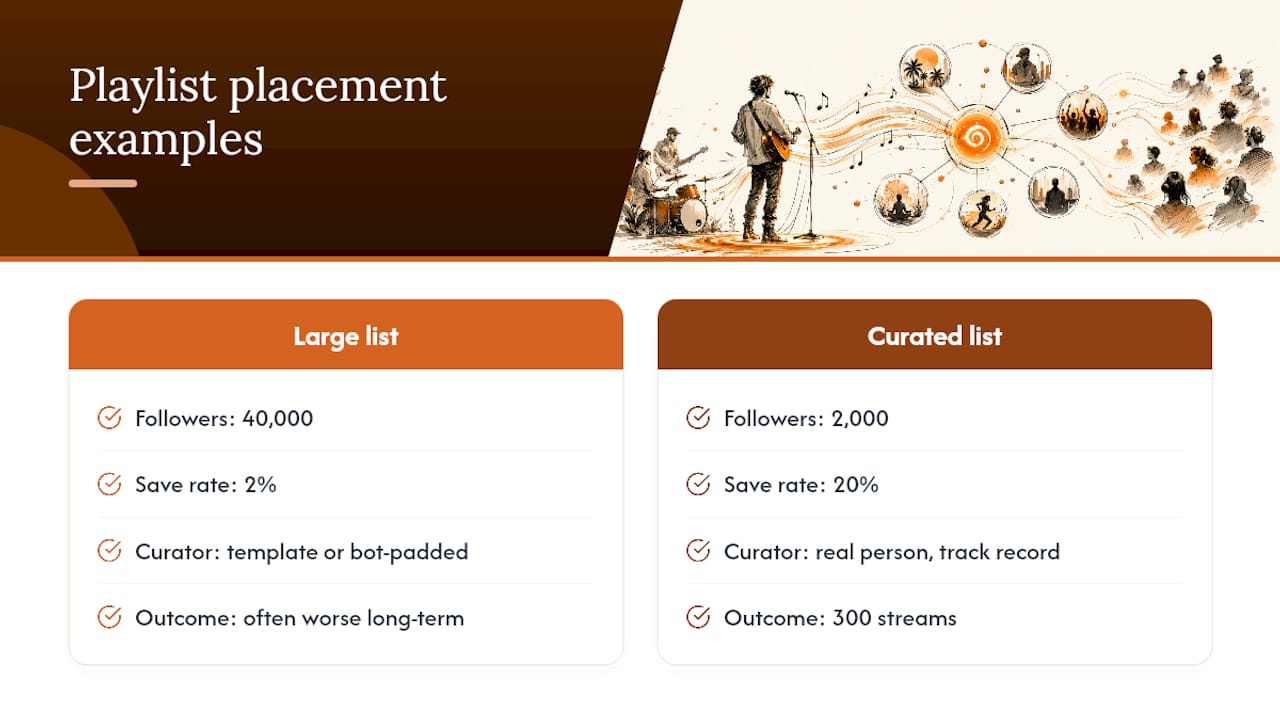
The conventional wisdom oversells follower count and undersells verification. Artists chase big numbers on playlist pages without ever checking whether the curator behind that list is a real person with a track record, or a template account padded with bot follows. That’s backwards. Check the curator first. Then track saves and completion, not just adds.
If you take one thing from this article, prioritize building your own tracking log before you obsess over finding more placements. A disciplined spreadsheet with five real data points beats a scattershot chase after every playlist that will take your submission. Tools like Spotify for Artists give you the raw numbers. What you do with them, consistently, is what separates artists who compound their streams from artists who just get a temporary bump.
— Einars
Get Curated Playlist Placements With Transparent Reporting
Intonality is the alternative to blind pitching for artists who want to know exactly who is reviewing their music and why. Every submission goes to a real, genre-matched curator, and every response, placement or decline, comes with written feedback and a real-time update to your dashboard.
Campaigns run across four tiers, Starter, Standard, Pro, and Max, each giving you access to your dashboard, curator details like the kind shown on curator profile pages, and full placement reports you can log directly into your own tracking spreadsheet. Current pricing details are available on the website for comparison before committing.
If you’re ready to stop guessing which curators actually listen and start collecting placements you can verify yourself, visit Intonality to see the current campaign tiers and start your submission.
Sources
- Spotify monitoring tools and playlist trackers — Brand24
- Chartmetric — Playlist tracking features
- Chartmetric API — track playlists endpoint
- How to get your music on Spotify playlists — Berklee Online
- Playlisting — Spotify for Artists
FAQ
How Much Does Spotify Pay for 1,000,000 Streams?
Spotify’s per-stream payout varies by market, listener subscription type, and label agreements, so there’s no single fixed rate publicly guaranteed by Spotify. Artists typically estimate using industry-reported ranges rather than an exact published figure, and your own Spotify for Artists royalty reporting is the most accurate source for your specific catalog.
Can I See if Someone Is Monitoring My Spotify Profile?
No. Spotify doesn’t notify artists or listeners when someone views a profile or playlist, and no legitimate tool can reveal individual viewers. Any app or website claiming to show who’s “stalking” your account is not using real Spotify data.
Is Playlist Pitching Through a Paid Service Legitimate?
Legitimate playlist promotion services connect your track with real curators who choose whether to add it, and you should expect transparent reporting on placements and declines. Intonality, for example, provides written feedback from every curator decision, which lets you verify that a real person reviewed your submission rather than an automated system.
What Is the “1,000 True Fans” Idea on Spotify?
This concept, popularized outside of Spotify’s own guidelines, argues that a smaller number of deeply engaged listeners who consistently stream and save your music can sustain a career better than a much larger passive audience. It lines up with why save and completion rates matter more for tracking placements than raw follower counts on the playlists carrying your track.


